
Connecting to REAPER
ReaSetlist LIVE communicates directly with your active REAPER project using REAPER’s built-in Web Control Interface.
Step-by-Step Setup
1
Launch REAPER
Make sure REAPER is running before starting ReaSetlist LIVE. Open the project you plan to use live.
2
Enable Web Interface
In REAPER, go to:
Options → Preferences → Control/OSC/webClick Add, choose Web browser interface, and set a Port (default: 8080). Click OK, then Apply.
3
Configure ReaSetlist LIVE
Open ReaSetlist LIVE and enter the same Port number in the Reaper Port field. Click Save & Test.
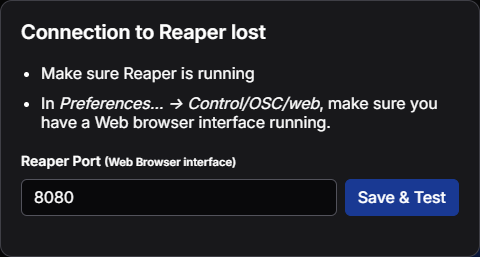
Connection Lost?
If you see "Connection to REAPER lost", double-check that REAPER is open, the Web Interface is enabled, and the port numbers match exactly in both applications.